Looking for an easy-to-use TCP/UDP testing tool? Sokit is a lightweight but powerful solution that helps you test network communications with ease.
✨ Key Features
- TCP/UDP Server simulation (supports both string and hex formats)
- TCP/UDP Client simulation (supports both string and hex formats)
- Data forwarding/proxy capabilities
- Cross-platform support (Windows & Linux)
- Clean and intuitive UI
🔗 Quick Links
📖 Quick Start Guide
Basic Server-Client Communication
- Launch two instances of Sokit - one as TCP Server (left) and one as TCP Client (right)
- Configure IP addresses and ports for both instances
- Establish the connection between them
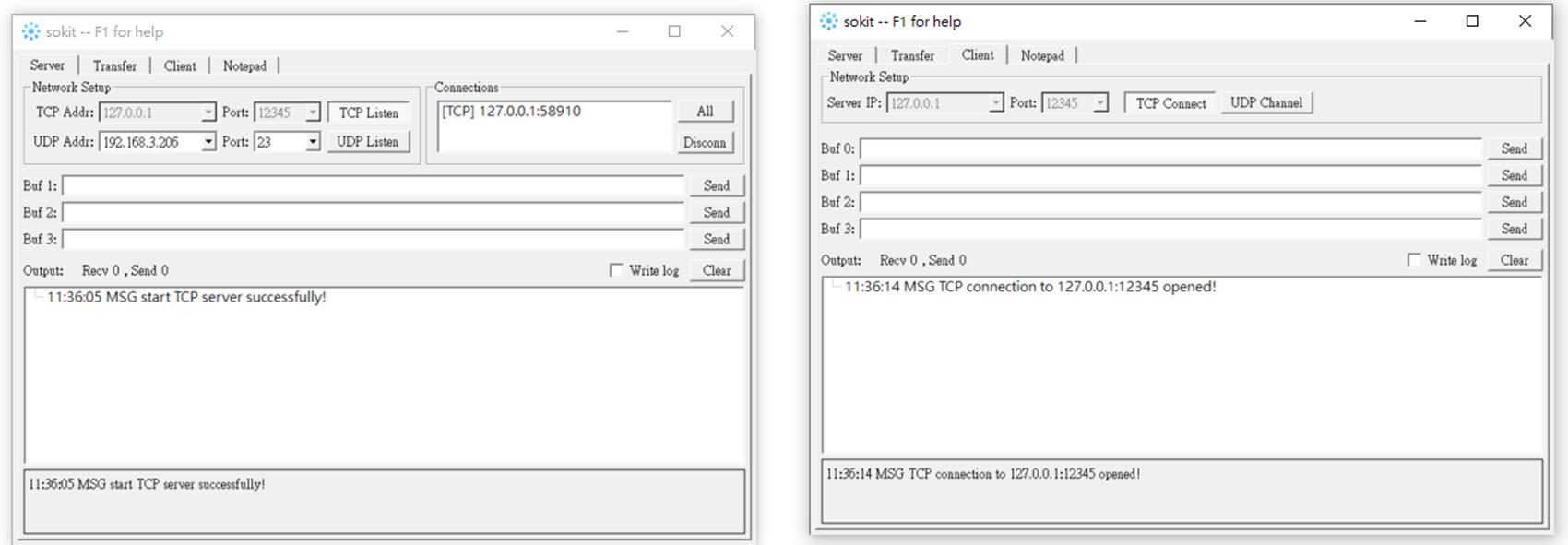
Testing Basic Communication:
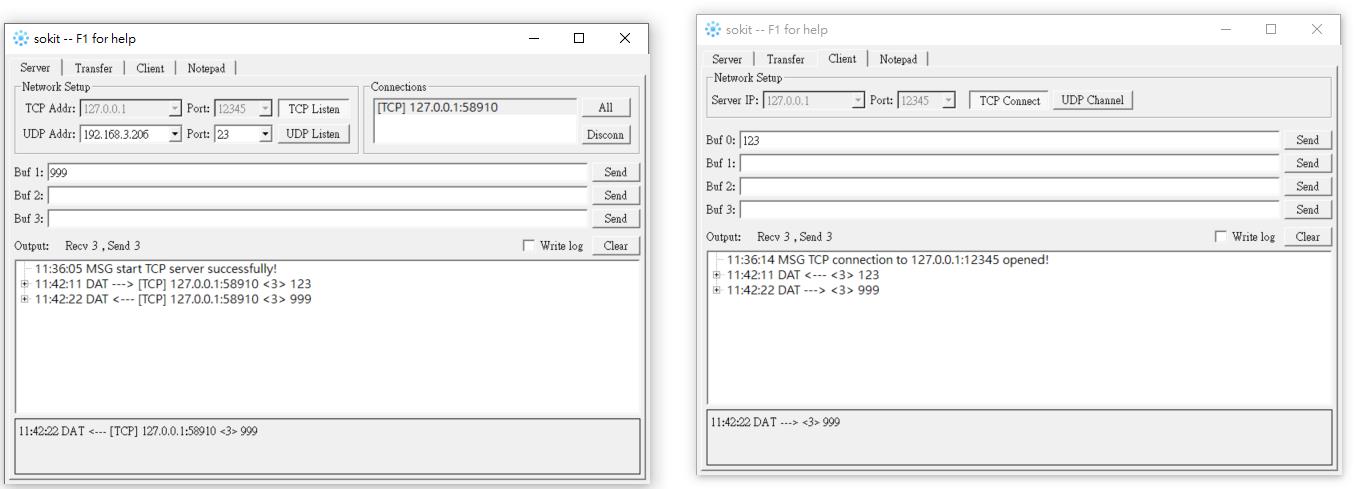
- Send “123” from Client to Server
- Server receives the string
- Server can select specific client from the Connection list
- Send “999” back to Client from Server
🔢 Hex Communication Mode
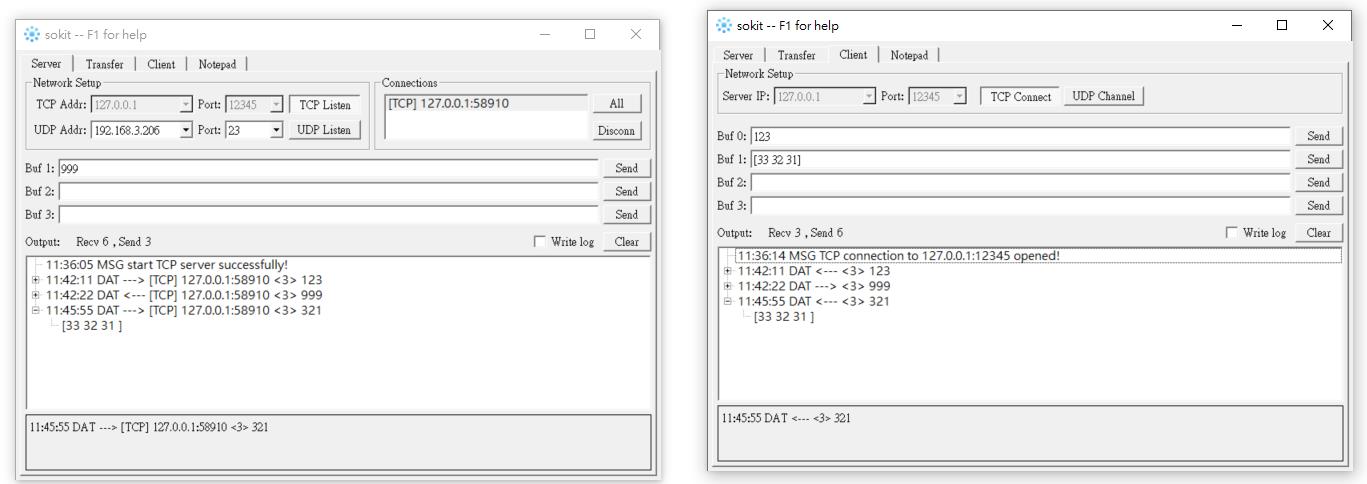
Client can send hex data like [33 32 31] to Server
Note: Hex data must be enclosed in square brackets [ ]
Server can expand received data to show hex representation
🔄 Data Forwarding Setup
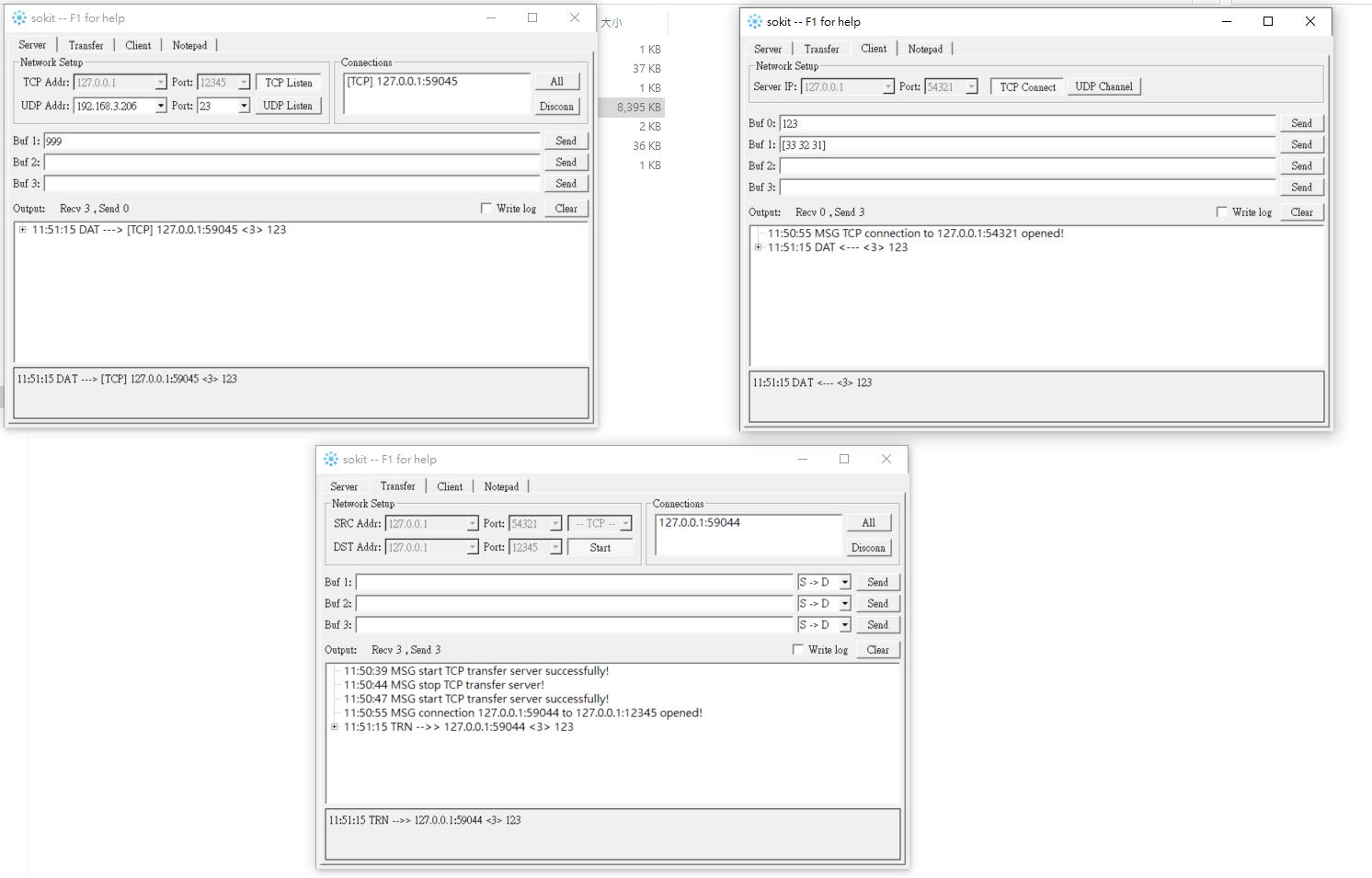
Launch a third Sokit instance as forwarding server with:
- Source: 127.0.0.1:54321
- Destination: 127.0.0.1:12345
When client connects to the forwarding server’s source address, traffic will be automatically forwarded to the destination server
💡 Pro Tips
- Use hex mode for binary protocol testing
- Forwarding feature is great for debugging proxy scenarios
- Save common configurations for quick reuse
- Monitor traffic in real-time with the built-in logger
🛠 Perfect For
- Network protocol testing
- IoT device communication debugging
- API endpoint verification
- Network proxy testing
- Educational purposes
Give Sokit a try - it might become your go-to networking tool! Feel free to star the project on GitHub if you find it useful.